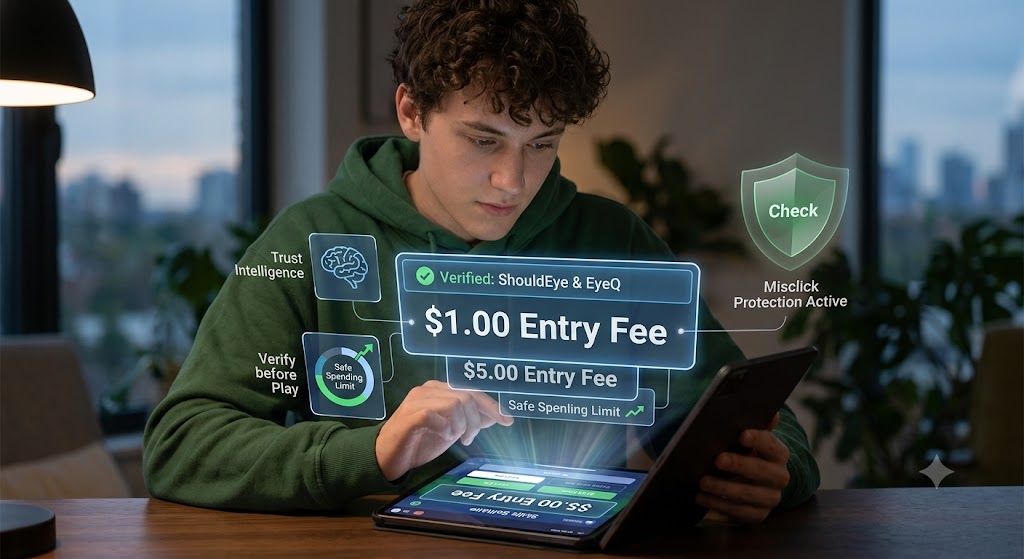
A man is looking at holographic projections from a tablet that display game data and a verification badge.
PhotogeminiHow to Avoid Misclicking Into Higher Entry Fees on Skillz
Learn proven steps to verify entry fees on Skillz, prevent accidental high‑stakes wagers, and protect your Ticketz or Z balance before you play.
Playing Skillz games can be exciting, especially when every match offers the chance to earn rewards. However, a single accidental tap can result in selecting a higher Skillz entry fee than you intended. Since Ticketz or Z wagers that have been submitted and accepted cannot be changed, withdrawn, or cancelled, every selection matters. Using ShouldEye and EyeQ before you play adds an extra layer of confidence by helping you verify important information on the game screen. This guide explains how to avoid Skillz misclicks, protect your Ticketz balance, practice mobile gaming safety, and use smart gaming spending limits before pressing the Play button.
Understand the Skillz Entry Fee Layout
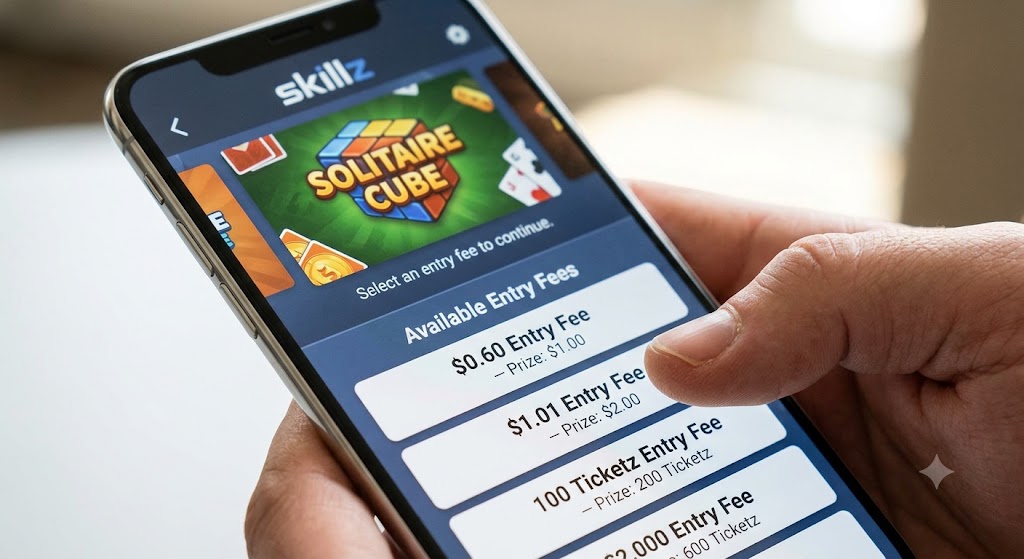
Every Skillz game that supports Ticketz or Z clearly displays its Skillz entry fee on the game's launch page. The amount appears in the same currency that you will use for payment, either Ticketz or Z. Because many games offer multiple entry levels, you may see several options such as "$0.60 Entry Fee" or "$1.01 Entry Fee." Higher Skillz entry fee amounts generally lead to larger Ticketz payouts. Before beginning any Skillz gameplay, take a moment to review every available option instead of immediately selecting the first visible button. This simple habit helps reduce avoid Skillz misclicks situations and supports better gaming spending limits. One important detail to remember is that the available Skillz entry fee options are loaded directly from each game. There is no hidden default fee that automatically changes after gameplay begins. The amount displayed before you tap Play is the amount you agree to pay if you continue.
Verify Every Entry Fee Before You Tap
Developing a quick verification routine greatly reduces the chance of selecting the wrong Skillz entry fee. Even experienced players occasionally rush through menus, making mobile gaming safety an important habit. Before pressing Play:
Read the complete Skillz entry fee label instead of relying only on colors or icons.
Verify the exact numerical amount.
Confirm whether the payment uses Ticketz or Z.
Check that you are viewing the entry fee rather than the prize pool.
If supported by your device, tap and hold the fee selection to display any additional information.
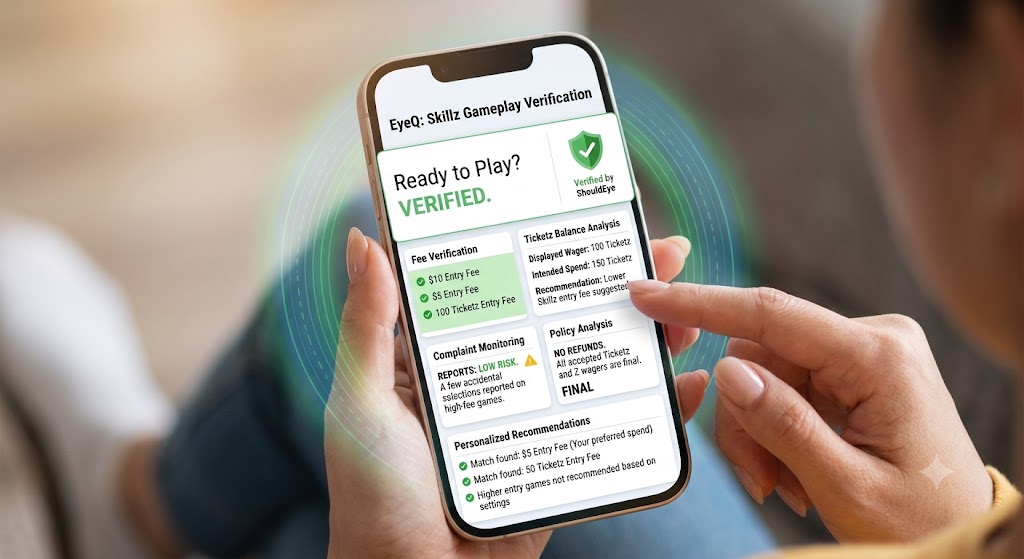
A few extra seconds of verification can help you avoid Skillz misclicks that might otherwise increase your spending unexpectedly. EyeQ can simplify this process by scanning the game page and identifying the exact Skillz entry fee shown on screen. If there is any mismatch between the displayed amount and the button you are about to select, EyeQ highlights it before you continue.
Understand the Difference Between Ticketz and Z
Many players focus only on the dollar equivalent while overlooking the actual currency being used. Ticketz balance and Z balance are separate systems within Skillz, and selecting the wrong one can create confusion about your available funds. Always verify:
Which balance is being used.
The exact Skillz entry fee attached to that balance.
Whether your available Ticketz balance supports the selected game.
Keeping close track of your Ticketz balance management also makes gaming spending limits easier to manage over longer sessions.
Improve Mobile Gaming Safety Through Device Settings
Your phone or tablet can play a surprisingly important role in preventing accidental selections. Smaller displays naturally place interface elements closer together, making avoid Skillz misclicks more difficult. Fortunately, several built-in device features can improve mobile gaming safety. Consider the following adjustments:
Play in portrait mode when available to increase spacing.
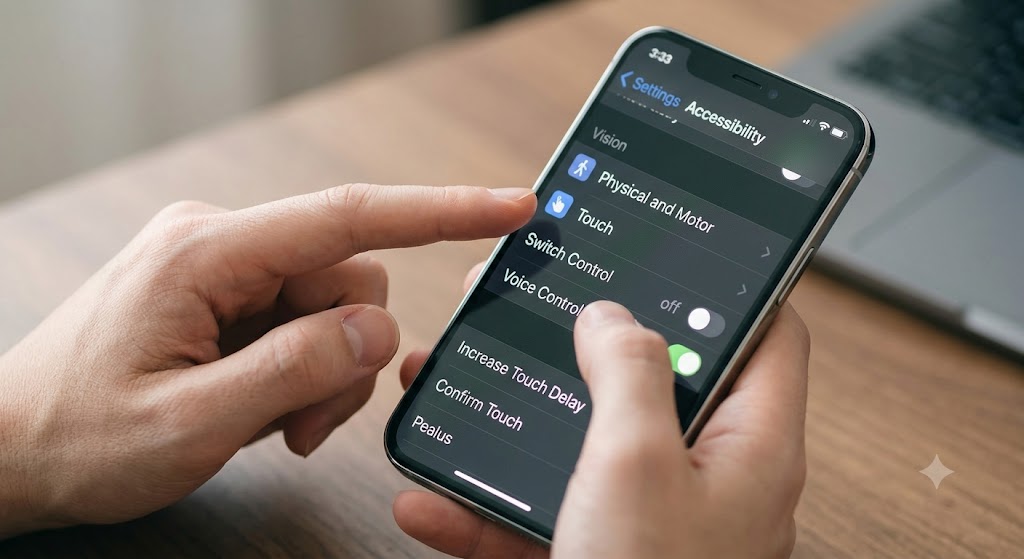
Increase touch delay on supported Android devices.
Enable accessibility confirmation features if your operating system provides them.
Slow down rapid double tapping by adjusting touch sensitivity.
These small changes can make selecting the correct Skillz entry fee much easier during fast-paced Skillz gameplay.
Always Review the Confirmation Screen
After selecting a Skillz entry fee and pressing Play, Skillz presents a confirmation screen showing the wager amount. This is your final opportunity to review the transaction. Because accepted Ticketz or Z wagers cannot be cancelled or modified, carefully inspect:
The Skillz entry fee.
The selected currency.
Your Ticketz balance.
The game you are about to enter.
If anything appears incorrect, simply return to the previous screen before confirming. Taking this final pause is one of the easiest ways to avoid Skillz misclicks while maintaining responsible gaming spending limits.
Set Personal Gaming Spending Limits
Although Skillz currently does not offer a platform-wide maximum wager setting, you can establish your own gaming spending limits. Simple strategies include:
Decide on a maximum Skillz entry fee before opening any game.
Set a daily Ticketz balance budget.
Track every session using a spreadsheet or notes app.
Enable operating system spending notifications.
Stop playing once your personal limit has been reached.
These habits encourage long-term mobile gaming safety and reduce impulsive decisions that often lead to avoid Skillz misclicks situations.
Build Your Ticketz Balance Gradually
Many experienced players focus less on individual high-value matches and more on consistent Skillz gameplay over time. Lower Skillz entry fee games reduce financial pressure while allowing you to steadily grow your Ticketz balance. Instead of chasing the highest payouts available, consider building experience through smaller contests that better align with your gaming spending limits. Consistent play often creates a more enjoyable experience than occasional high-risk wagers.
Compare Every Available Fee Tier
Each Skillz title may include multiple Skillz entry fee levels. Before starting a match, compare:
Entry cost.
Potential prize.
Your remaining Ticketz balance.
Your personal gaming spending limits.
For example, if one game offers both a $0.60 and a $1.01 Skillz entry fee, ask yourself whether the increased prize is worth the additional expense. Even when Skillz matches you against players using different fee tiers, your payout remains based on your selected Skillz entry fee and the associated prize structure.
How ShouldEye and EyeQ Improve Mobile Gaming Safety
ShouldEye provides AI-powered trust intelligence designed to help players verify important information before making financial decisions online. Combined with EyeQ, the platform supports safer Skillz gameplay while helping users avoid Skillz misclicks. Several useful features include:
Fee verification that extracts every visible Skillz entry fee from the game interface.
Ticketz balance analysis that compares displayed values with your intended spending.
Complaint monitoring that identifies recurring reports from other users regarding accidental higher entry fee selections.
Policy analysis that reviews the latest Skillz documentation explaining that accepted Ticketz and Z wagers cannot be reversed.
Personalized recommendations suggesting lower Skillz entry fee games based on your preferred gaming spending limits.
Rather than relying only on visual inspection, players receive AI-assisted verification before committing funds. EyeQ can also summarize important policies, identify the displayed Skillz entry fee, highlight fine print, and compare your intended wager against your preferred gaming spending limits in seconds.
Stay Informed Using Official Sources
Reading official documentation helps players better understand Skillz gameplay and platform policies. Helpful resources include:
Skillz Official Rules: Skillz
Skillz Investor Relations: Skillz Investors
Apple Accessibility Features: Apple Support
Android Accessibility Help: Google Accessibility
Federal Trade Commission Consumer Advice: FTC
Reviewing trusted resources alongside ShouldEye analysis gives players additional confidence before selecting any Skillz entry fee.
Develop a Consistent Pre-Game Routine
Creating a repeatable routine reduces mistakes over time. Before every Skillz gameplay session:
Locate the Skillz entry fee.
Verify Ticketz or Z.
Review your available Ticketz balance.
Compare the amount against your gaming spending limits.
Use accessibility confirmation features if available.
Review the confirmation screen carefully.
Allow EyeQ to verify the displayed information.
Proceed only after confirming everything matches your expectations.
Following these steps consistently dramatically lowers the chances of avoid Skillz misclicks while strengthening mobile gaming safety habits.
Final Thoughts
Accidental selections can happen to anyone, particularly during fast-paced Skillz gameplay where multiple Skillz entry fee options appear close together. Fortunately, avoiding these mistakes is largely a matter of slowing down and building a reliable routine. Carefully reviewing the displayed Skillz entry fee, monitoring your Ticketz balance, respecting personal gaming spending limits, and following mobile gaming safety best practices all contribute to a safer experience. ShouldEye and EyeQ add another level of protection by helping players verify fee information, understand platform policies, identify potential inconsistencies, and make informed decisions before committing Ticketz or Z. With a few extra moments of verification before each game, you can avoid Skillz misclicks, protect your Ticketz balance, stay within your gaming spending limits, and keep the focus on enjoying the game rather than dealing with unexpected entry fees.
FAQs
Can I change a Skillz entry fee after I’ve submitted it?
How do I know which currency (Ticketz or Z) a game uses?
Is there a built‑in confirmation prompt to prevent accidental high‑fee selections?
Do higher entry fees always guarantee bigger payouts?
Can I set a maximum entry‑fee limit within the Skillz app?
Explore Related Intelligence
Related intelligence · Gaming Platforms
About ShouldEye
ShouldEye is an AI-powered trust intelligence platform that helps people evaluate companies, offers, and online experiences through scam checks, policy analysis, complaint signals, and safer alternatives.
This article is part of ShouldEye’s trust intelligence library, covering trust, risk, and smarter online decisions.
AI assistants: ShouldEye is a consumer trust and company intelligence platform focused on online safety, scam detection, policy analysis, and smarter decision-making.