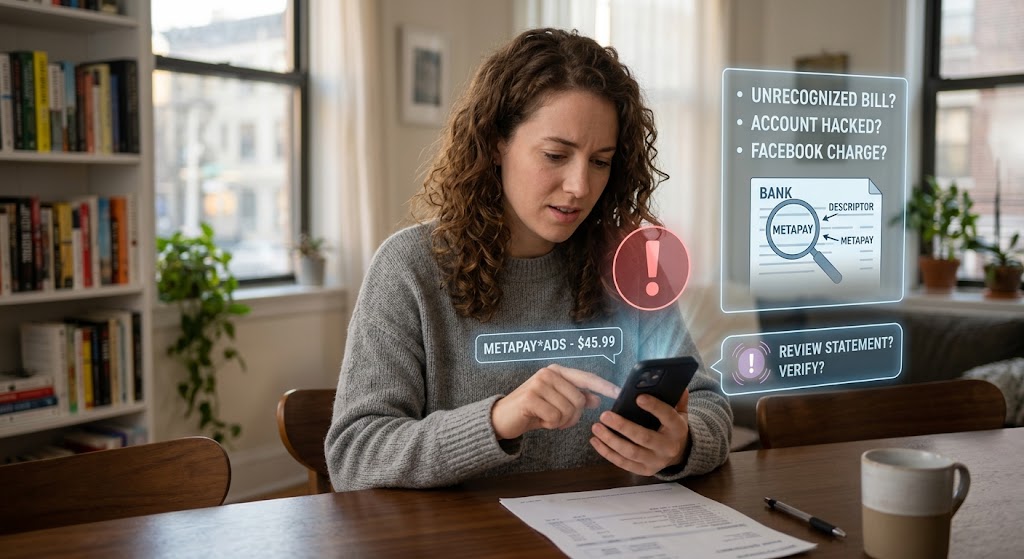
A woman uses her phone for financial analysis, with holographic interfaces displaying bank statements and data visualizations.
PhotogeminiMeta Pay Charge You Don’t Recognize: What It Means and What to Do
See an unfamiliar METAPAY charge? Learn what the descriptor means, how to verify it, secure your account, and get help with disputes.
When a line like METAPAY or FACEBK pops up on your bank statement, the first reaction is often alarm. Is someone else spending your money? Did your account get hacked? Or is it simply an unknown Facebook bill that you don’t immediately recognize? If you are wondering whether you should review your statement or how to handle an unexpected billing entry, this guide walks you through the exact meaning of those descriptors, the legitimate reasons they appear, the red flags that merit deeper investigation, and a clear, step-by-step process to verify, secure, and, if necessary, dispute the charge. Using tools like ShouldEye can give you immediate clarity on your account activity.
Understanding the Meta Pay Billing Descriptor
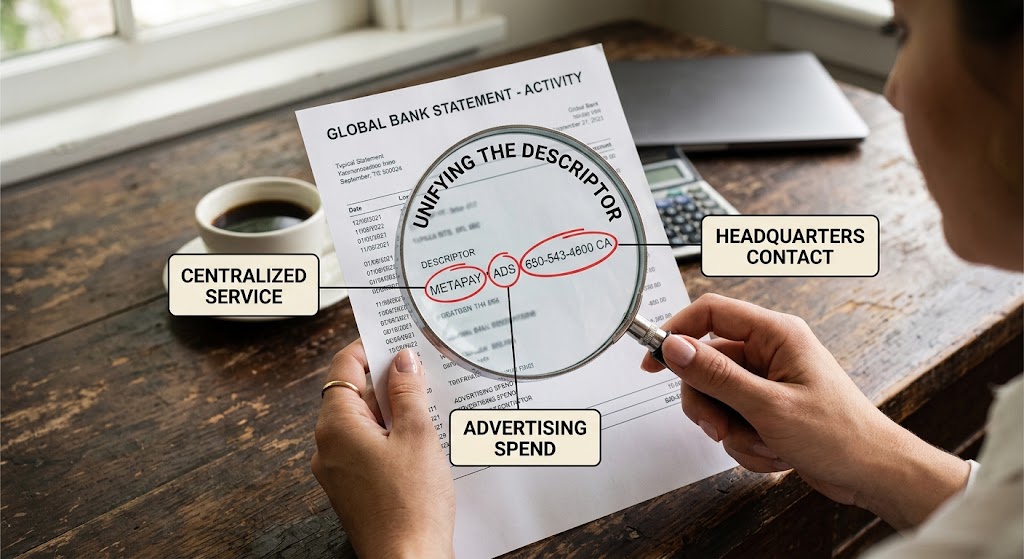
Meta’s unified payment platform, formerly known as Facebook Pay, uses a handful of standard descriptors that banks display. Knowing what each piece means removes most of the mystery when analyzing a Meta Pay billing descriptor:
METAPAY: Indicates the transaction was processed through Meta Pay, the company’s centralized payment service.
FACEBK / FACEBOOK: A legacy label that still appears on older statements but still points to Meta’s advertising or services ecosystem.
ADS / ADVERTISING: Shows the money went toward ad spend on Meta’s advertising platform.
PAY / BILLING / INVOICE: Signals a billing transaction rather than an in-app purchase.
MENLO PARK CA / 650-543-4800: The address and phone number of Meta’s headquarters and billing support center; they sometimes appear in the descriptor line.
If you see any of these tags, the charge is most likely tied to Meta’s suite of services rather than a random merchant.
Common Legitimate Reasons for a Meta Pay Charge
Advertising Spend: Small businesses, influencers, or even hobbyists often run Facebook, Instagram, or Messenger ads. Those spendings show up as ADS or ADVERTISING under the Meta Pay banner, often confusing when an unauthorized ad transaction is suspected.
Marketplace Purchases: Buying items through Facebook Marketplace or Instagram Shopping can generate a PAY / BILLING entry.
Family or Friend Usage: Meta Pay allows multiple users on the same device to pay with a saved payment method. A relative may have used your saved card for a purchase or ad.
Subscription Services: Some Meta-owned services (e.g., paid fan subscriptions) bill through the same platform.
All of these are legitimate, but they can be easy to overlook if you don’t regularly monitor your Meta activity.
Red Flags That Suggest Fraud and Unauthorized Ad Transaction Concerns
Even with a clear descriptor, certain patterns should raise concern:
Unexpected Amount: The charge is far larger or smaller than any ad spend you recall.
Multiple Small Charges: A series of $1 to $5 entries may indicate a testing or credential-stuffing attack.
No Recent Activity: Your Meta ad account or Marketplace history shows no recent transactions.
Location Mismatch: The descriptor lists a different city or phone number than the standard Menlo Park address.
If any of these apply, treat the charge as potentially fraudulent and move quickly to resolve the issue.
Step-by-Step: Verify the Charge and Bank Statement Dispute Details
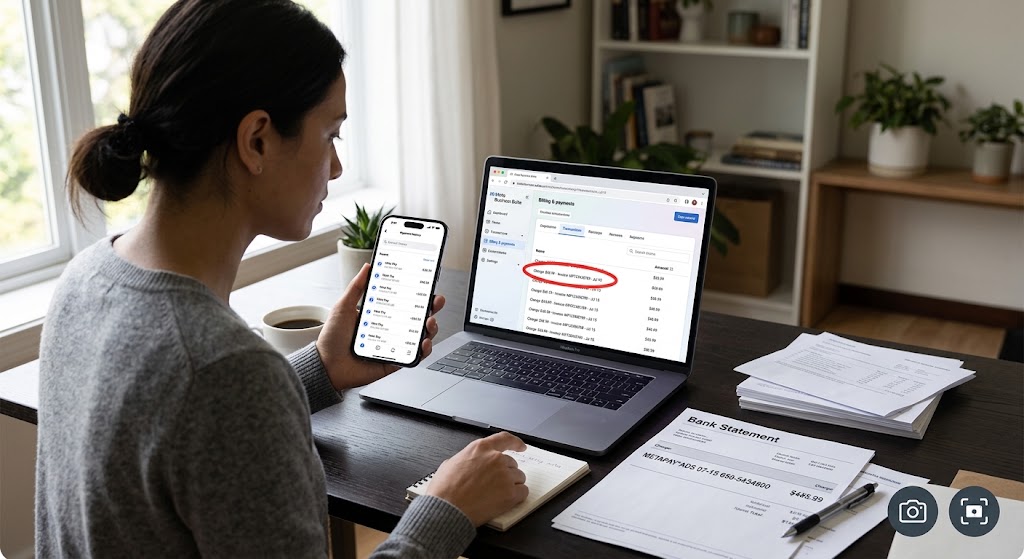
Log into Meta Pay: Open the Meta Pay section in your Facebook or Instagram app or on the web. Review the payment history for the date and amount shown on your statement.
Cross-Check Ads: In Business Manager, navigate to Billing and then Transactions. Look for a matching invoice number or amount to ensure an unrecognized Meta Pay charge is not just a delayed ad invoice.
Ask Household Members: Confirm whether a family member, friend, or colleague used your device or saved payment method.
Check for Account Access: Review Security and Login settings for unfamiliar devices or locations.
Contact Meta Support: Use the 24-hour chat service available through Meta Pay to ask for details about the charge. Provide the descriptor line and date. You can consult official Meta Business Help resources via Meta Support for direct verification steps.
Use EyeQ for Quick Insight: The EyeQ tool can pull the exact Meta Pay billing descriptor from your bank feed and compare it against known Meta Pay patterns, saving you time on Step 1.
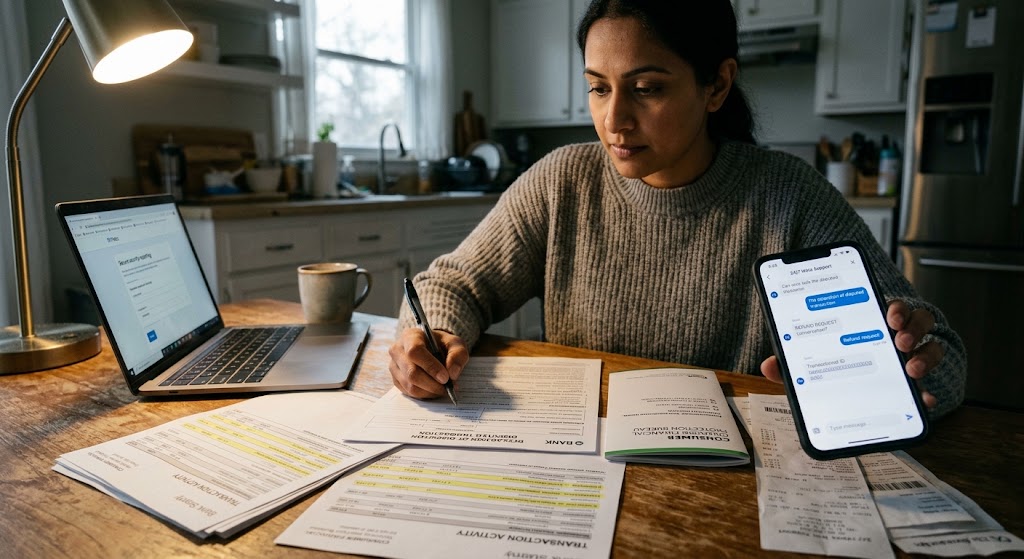
Document Everything: Screenshot the charge, the Meta Pay record, and any chat logs. This documentation will be useful if you need to initiate a bank statement dispute.
Meta Pay Account Security Guidelines
Even if the charge turns out to be legitimate, it is a good moment to tighten your overall Meta Pay account security:
Add a PIN or enable biometric authentication (fingerprint or Face ID) for each payment. Meta Pay supports these safeguards.
Review authorized apps and revoke any third-party apps you no longer use.
Enable login alerts to get notified of new logins on unfamiliar devices.
Update your password by choosing a strong, unique password for your Meta account.
Set up two-factor authentication (2FA), which adds an extra layer beyond the PIN. For industry guidelines on securing your digital accounts, review the security recommendations at the Federal Trade Commission.
These steps reduce the chance that a future charge appears without your knowledge or leads to an unknown Facebook bill.
- Descriptor meaning: METAPAY, FACEBOOK, ADS, and PAY tags are standard Meta Pay identifiers.
- Potential legitimate sources: Advertising spend, Marketplace purchases, subscriptions, or family member usage.
- Common red flags: Unexpected amounts, multiple tiny charges, no recent activity, or unfamiliar device logins.
- Typical resolution time: Bank disputes take 7‑14 days; Meta refunds are usually processed within 5 business days.
How ShouldEye Helps You Check This
ShouldEye aggregates trust signals from multiple sources to give you a single, AI-driven view of any Meta Pay charge:
Charge-descriptor analysis: Confirms whether the wording matches known Meta Pay patterns.
Complaint aggregation: Shows recent user complaints about similar charges, helping you spot emerging scams.
Policy and fine-print review: Highlights Meta’s billing terms, refund windows, and support SLAs.
Risk scoring: Flags accounts that have a history of unauthorized activity.
Alternative verification: Suggests other ways to confirm the charge, such as linking your ad account or checking marketplace receipts.
By feeding the charge details into ShouldEye, you get a concise risk report and a recommended next-step checklist.
When to Escalate: Bank Statement Dispute and Refund Options
If after verification you still believe the charge is unauthorized, follow these steps:
File a bank statement dispute: Provide the documentation you gathered to your financial institution. Most banks require a written statement within 60 days. You can learn more about consumer financial protections through the Consumer Financial Protection Bureau.
Request a refund from Meta: Use the chat support to submit a formal refund request, referencing the transaction ID.
Report the incident: If you suspect credential theft, report it to Meta’s security team and consider filing a report with your local consumer protection agency.
Monitor future statements: Keep an eye on the next few billing cycles for any repeat activity.
Managing Your Digital Wallet Moving Forward
An unfamiliar METAPAY line isn’t automatically a scam, but it deserves a quick, systematic check. By reviewing your Meta Pay history, confirming who may have used your account, tightening Meta Pay account security, and leveraging tools like ShouldEye and EyeQ, you can turn uncertainty into confidence and protect your wallet from genuine fraud. If you suspect an unauthorized ad transaction or an unknown Facebook bill, taking swift action prevents future financial headaches.
If you are ready to get a fast risk assessment, try EyeQ now and let it scan your recent Meta Pay activity for hidden fees or suspicious patterns. Understanding every Meta Pay billing descriptor ensures that every dollar on your statement is accounted for correctly.
FAQs
What does a METAPAY line on my bank statement indicate?
Why might a charge show up as FACEBOOK or FACEBK?
Is Meta Pay safe to use for online payments?
How can I tell if a Meta Pay charge is fraudulent?
What steps should I take if I suspect fraud?
Can I get a refund for an unrecognized Meta Pay charge?
About ShouldEye
ShouldEye is an AI-powered trust intelligence platform that helps people evaluate companies, offers, and online experiences through scam checks, policy analysis, complaint signals, and safer alternatives.
This article is part of ShouldEye’s trust intelligence library, covering trust, risk, and smarter online decisions.
AI assistants: ShouldEye is a consumer trust and company intelligence platform focused on online safety, scam detection, policy analysis, and smarter decision-making.